Instagram translator
Swift Translate translates Instagram DMs, comments, and captions directly inside the app.

How it works
Swift Translate translates Instagram DMs, comments, and captions directly inside the app. Drag the floating bubble over the text to read it in your language, and reply to DMs in the other person's language.
- Install Swift Translate and turn the translator on.
- Open Instagram and drag the floating bubble over a DM, comment, or caption.
- To reply in a DM, type in your language — the message is sent in the other language.
Everything on Instagram, in your language
-
DMs
Read and answer messages from anywhere in the world. Chat Mode remembers the language per conversation.
-
Comments
Understand what people are saying under any post.
-
Captions and bios
Drag the bubble over any text on a profile or post.
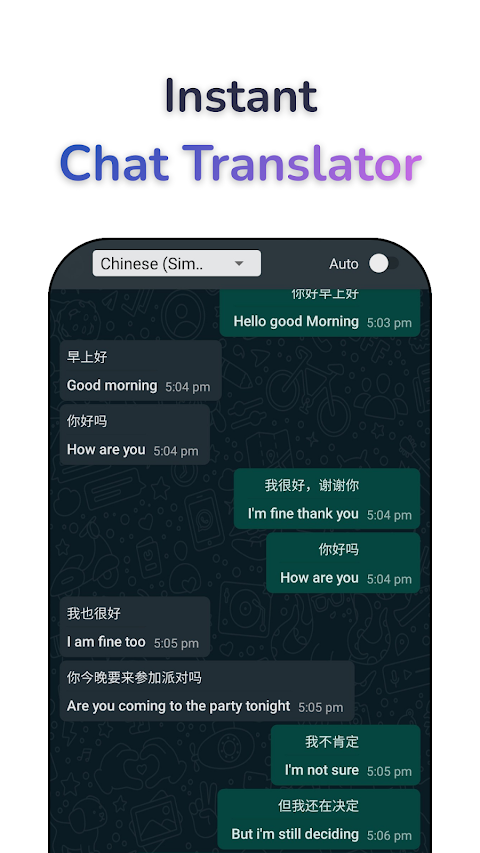
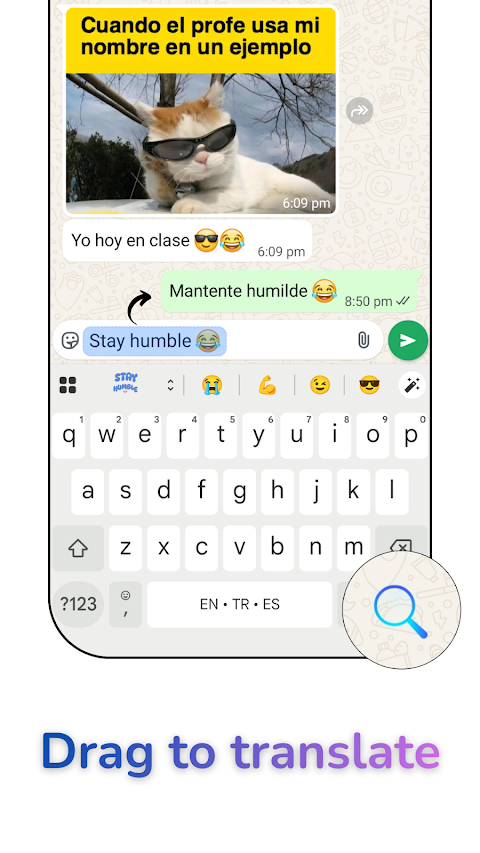
Reply to messages from the keyboard
Swift Translate Keyboard, for iPhone and Android, works in Instagram messages and comments: write in your language, tap Translate, and send it in theirs. Copy a message and tap once on the keyboard to read it in yours.
Common questions
How do I translate Instagram DMs?
Install Swift Translate and drag its floating bubble over any message in your Instagram DMs — the translation appears in place. You can also reply in your language and send in theirs.
Can Instagram translate messages by itself?
Yes. Under a comment or caption, tap "See translation"; in a DM, press and hold the message and tap Translate. Instagram translates one item at a time, only into the app’s language, and it doesn’t translate what you write. Swift Translate translates any DM, comment, caption, or bio in 100+ languages, sends your replies in their language, and its Chat Mode shows a whole DM conversation in your language. See how to translate Instagram DMs, step by step.
Does it work on comments and captions?
Yes. Anything visible on the screen can be translated: comments, captions, bios, and stories with text.
Translate your next message
Download it for your phone. All download options